Here is my latest updated demoreel where I show works I have done as Lighting / Comp TD or Pipeline TD, more update to come soon !

Showing posts with label Nuke. Show all posts
Showing posts with label Nuke. Show all posts
Thursday, December 18, 2014
Demoreel update !
Hi folks,
Here is my latest updated demoreel where I show works I have done as Lighting / Comp TD or Pipeline TD, more update to come soon !
Here is my latest updated demoreel where I show works I have done as Lighting / Comp TD or Pipeline TD, more update to come soon !

Saturday, October 20, 2012
GJ Maya - Nuke Versioning
Hi all,

I'm working on a new python script which allows the user to increment output folder in maya for versioning.
The script works by Maya project it changes the image output folder according to the version you created / selected in the UI.
The first part of the script is available for testing ( see bellow, in beta ), I'm working on the Nuke side, which will allow the user to update reader nodes according to versions setuped in Maya. More informations soon.
To use it, open it with script editor in maya. You can drag and drop it on a shelf.
Features:
- Creation of "normal" version automatically ( v_00, v_01, v_02, etc. )
- Creation of custom name version
- Delete version / make a new version as current version
- Display the current project name and version in a Head up display
I'm working on a new python script which allows the user to increment output folder in maya for versioning.
The script works by Maya project it changes the image output folder according to the version you created / selected in the UI.
The first part of the script is available for testing ( see bellow, in beta ), I'm working on the Nuke side, which will allow the user to update reader nodes according to versions setuped in Maya. More informations soon.
Download the script for Maya ( right clic: Save as )
Features:
- Creation of "normal" version automatically ( v_00, v_01, v_02, etc. )
- Creation of custom name version
- Delete version / make a new version as current version
- Display the current project name and version in a Head up display
Monday, February 13, 2012
GJ Auto Rim Light
Here is a quick gizmo for nuke, in fact, a simplified version of the "AutoRelight" Gizmo, this one allow you to create quicly a rimLight in comp, you just need to plug a point pass and a normal pass in the node, and enjoy !
You can also plug a ambiant occlusion pass as well as an ID pass in order to mask the effect.

You can also plug a ambiant occlusion pass as well as an ID pass in order to mask the effect.

Friday, December 30, 2011
GJ Relight - Gizmo for nuke
Here is a new "work in progress" gizmo for Nuke and NukeX to help the creation of relighting node in post-production.
You will be able to use differents lights (Omni, spot, direct and ambient) in post production, you will just need a Position pass, a Normal Pass and the camera of your scene in .FBX.

You will be able to use differents lights (Omni, spot, direct and ambient) in post production, you will just need a Position pass, a Normal Pass and the camera of your scene in .FBX.


Important: No shadows support yet.
Thursday, December 22, 2011
Thursday, September 1, 2011
Nuke Gizmo : GJ Color Correction
I took a bit of time to quickly create a little nuke gizmo for the creation of most common color correction nodes in one groupe (Invert, Color correction, Grade, ExpTool) as well as masking. Useful for quick test.


GJ Color Correction v01
Monday, June 6, 2011
GJ CompManage Updated !
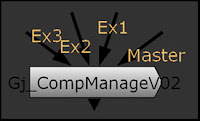
Here we are, a new version of the Nuke Gizmo "GJ CompManage V0.2" is available HERE
News features :
- Unpremult / Premult options
- More color correction options available
- Minor UI changements
The tool is still moving and still in beta.
Friday, May 13, 2011
GJ SafeFrame
Thanks to Nuke 101 Book by Ron Ganbar, I decided to create a Nuke gizmo witch allow the user to setup 3 safe frames (Title, Action and Custom ) with somes options like size of label, colors, custom label etc.


Monday, April 18, 2011
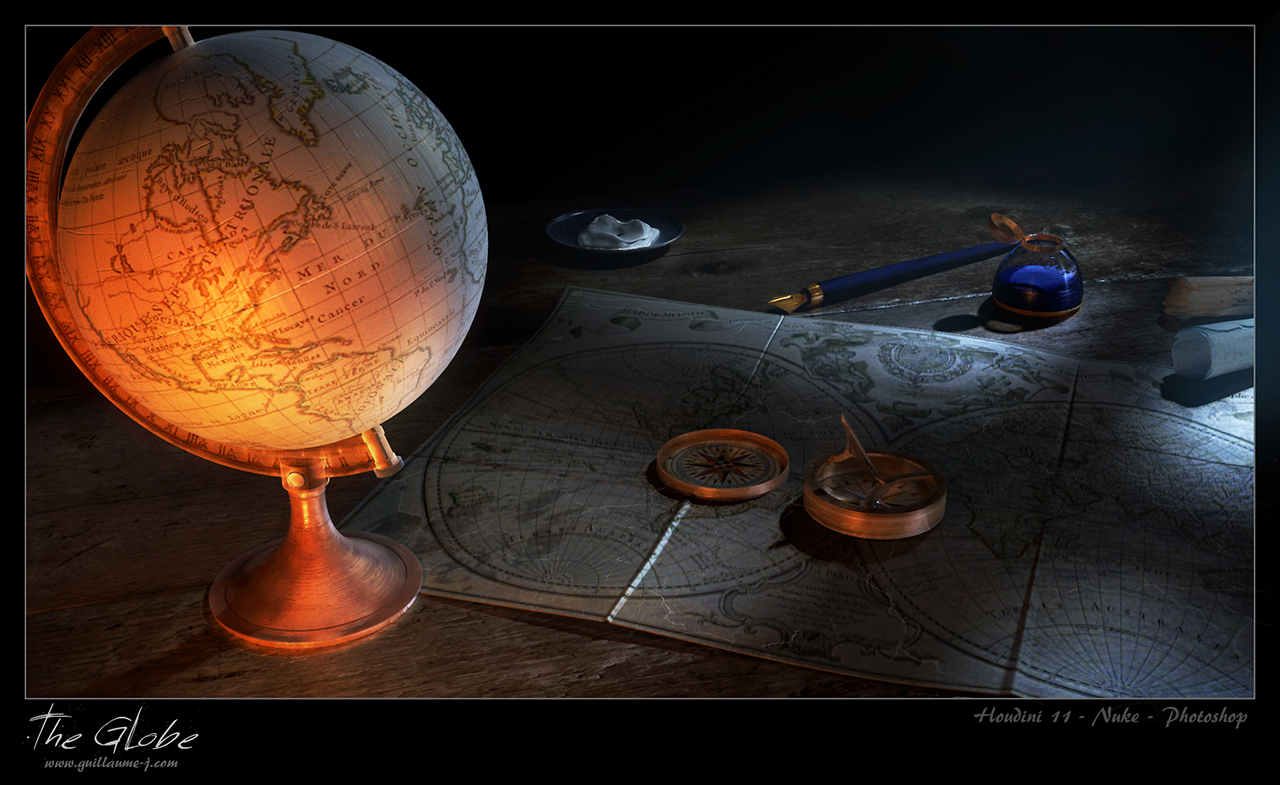
The Globe, Work in progress
I'm working on a new image with Houdini 11 and Mantra, here is a work in progress image. Lot of work still needed of course, compass not shaded etc...
Last step :) :

Last step :) :

Saturday, April 9, 2011
Zen...
Here is a picture rendered in Houdini 11 with Mantra, I used Houdini for the whole picture, exept the sky & tree in the background done with photoshop. Some compositing done also in Nuke 6.


Houdini 11, Mantra, Nuke, Photoshop
Tuesday, January 11, 2011
-GJ CompManage- for Nuke
CG CompManage is a little gizmo to help the compositing of differents passes in Nuke. Directly created from "LondonPhoneBox" WIP, you can easily tweak passes from an .exr file.
Download CG_CompManage V0.3
CG_CompManage (clic for large image):
 See the ReadMe.txt file for more information.
New version, v0.3 : Ambiant occlusion pass is now used correctly
 See the ReadMe.txt file for more information.
New version, v0.3 : Ambiant occlusion pass is now used correctly
Saturday, September 18, 2010
London Phonebox 2.5D relighting ( in Nuke 6.1 )
Relighting methode in Nuke with two passes : Point Pass and Normal World Pass and the camera in a .fbx file.
Test Nuke 2.5D relighting from Cetras on Vimeo.
And somes renderer passes in video :
London Phonebox Passes from Cetras on Vimeo.
Test Nuke 2.5D relighting from Cetras on Vimeo.
And somes renderer passes in video :
London Phonebox Passes from Cetras on Vimeo.
Tuesday, September 14, 2010
The london Phonebox
 Clic for large version
Here is a little picture done with Vray for Maya 2011 and Nuke 6.1. The goal was to do this without any photoshop post-process.
All passes were rendered with Vray and the picture is composited with Nuke 6.1.
Passes rendered : Diffuse, rawGI, directLighting, specular, rawReflection, ReflectionFilter, rawRefraction, RefractionFilter, AO, Zdepth, PointPass, NormalPass, IDpass
Passes rendered :
 Clic for large version
Nuke comp. :
 Clic for large version
Subscribe to:
Posts (Atom)